n8n vs Make for Solopreneurs in 2026

Affiliate note: Some links are affiliate links; we may earn a commission at no extra cost to you. Affiliate disclosure.
Both tools let you build automations without a full development team. The real question is which one fits a one-person operation better.
Our pick
Start with Make
Who it suits: a solopreneur who wants the first workflows running in a polished visual builder, and will only move the heavy ones later.
Pros
- Higher ease of starting, and an excellent visual builder.
- The practical recommendation is to get the first high-value workflows stable here, then measure the time saved.
Cons
- No self-hosting, and the long-term cost is higher at scale.
- n8n is the article’s alternative when you want more control and will handle a bit more setup.
- Make — better if you want to move fast and prefer a polished visual builder.
- n8n — better if you want maximum control, lower long-term cost, and are willing to handle a bit more setup.
Most solopreneurs should start with Make. Many later move their heaviest workflows to n8n once they know what actually matters.
| When | Named in the article |
|---|---|
| You want to move fast and prefer a polished visual builder | Make |
| You want maximum control and lower long-term cost, and will handle more setup | n8n |
Side-by-side
| Factor | Make | n8n |
|---|---|---|
| Ease of starting | Higher | Medium |
| Visual builder | Excellent | Good |
| Complex logic | Strong | Very strong |
| Self-hosting | No | Yes |
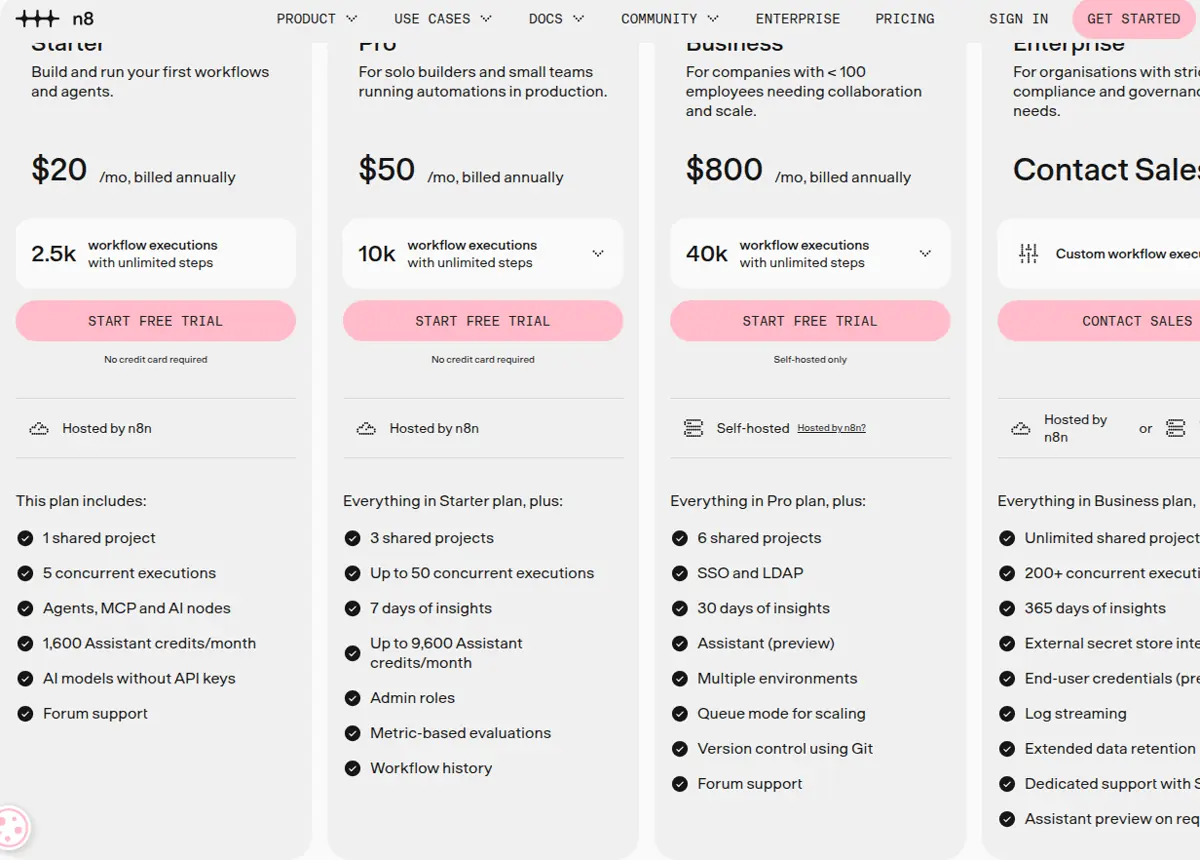
| Long-term cost | Higher at scale | Lower (especially self-hosted) |
| Best for | Speed | Control & scale |
Practical recommendation
Start with Make for your first few high-value workflows. Get them stable and measure the time saved. Only then decide whether moving the most demanding ones to n8n is worth the extra setup.
You rarely need both on day one.
Affiliate note
Occono may earn a commission when you buy through links on this site, at no extra cost to you. Affiliate disclosure.
By subscribing you agree to receive Occono emails. You can unsubscribe at any time. See our privacy notice.
Update details
- — Published.
- — Make affiliate links and the disclosure note added.
- — Canonical URL and article sidebar added, and this update note added.
- — Screenshots of the public pages added.